
One product, more than one user.
When buyers, sellers and administrators use the same product, there is no single right screen for everyone. Here we explain what should be shared and what should be designed separately.
- AREA
- Product and experience
- WHO IT IS FOR
- Marketplaces and platforms with more than one side
- NEXT STEP
- Maturity assessment
Which is right depends on the situation. Without a decision at the start, the product gets stuck between the two.
The multi-sided platform.
Your platform has more than one side: buyer and seller, user and administrator, or parent and child. Each side wants something different. A change that pleases one side strains the other, and your team has the same argument again with every new feature.
What is the real question?
The question to ask here is not "how do we build one experience for all of them" but "what should be shared and what should be separate". On some platforms the sides use the same screen with different permissions. On others the work the sides do is so different that they need to be designed like separate products. Which is right depends on the case, but if you do not make this decision at the start, the product ends up stuck between the two.
Why does it get harder?
Multi-sided products mostly start with a single side in mind, and the others are added later. The second side is usually produced by adding permissions and conditions to the first side's screens. The result is screens that are not quite right for anyone.
- START
The product starts with a single side in mind
- ADDITION
The second side is produced by adding permissions and conditions
- RESULT
Screens that are not quite right for anyone
The second side is usually derived from the first side's screens.
What does it cost you?
The value of your platform depends on all sides staying there. When one side struggles and leaves, the platform starts to lose its meaning for the other side too.
Not every side needs a separate app.
Offering each side its own experience does not mean building separate products. Flows that change by side on a shared foundation are enough for most platforms.
Where does your platform stand?
The maturity assessment gives you a first idea of how consistently your product works for different users.
From our work.
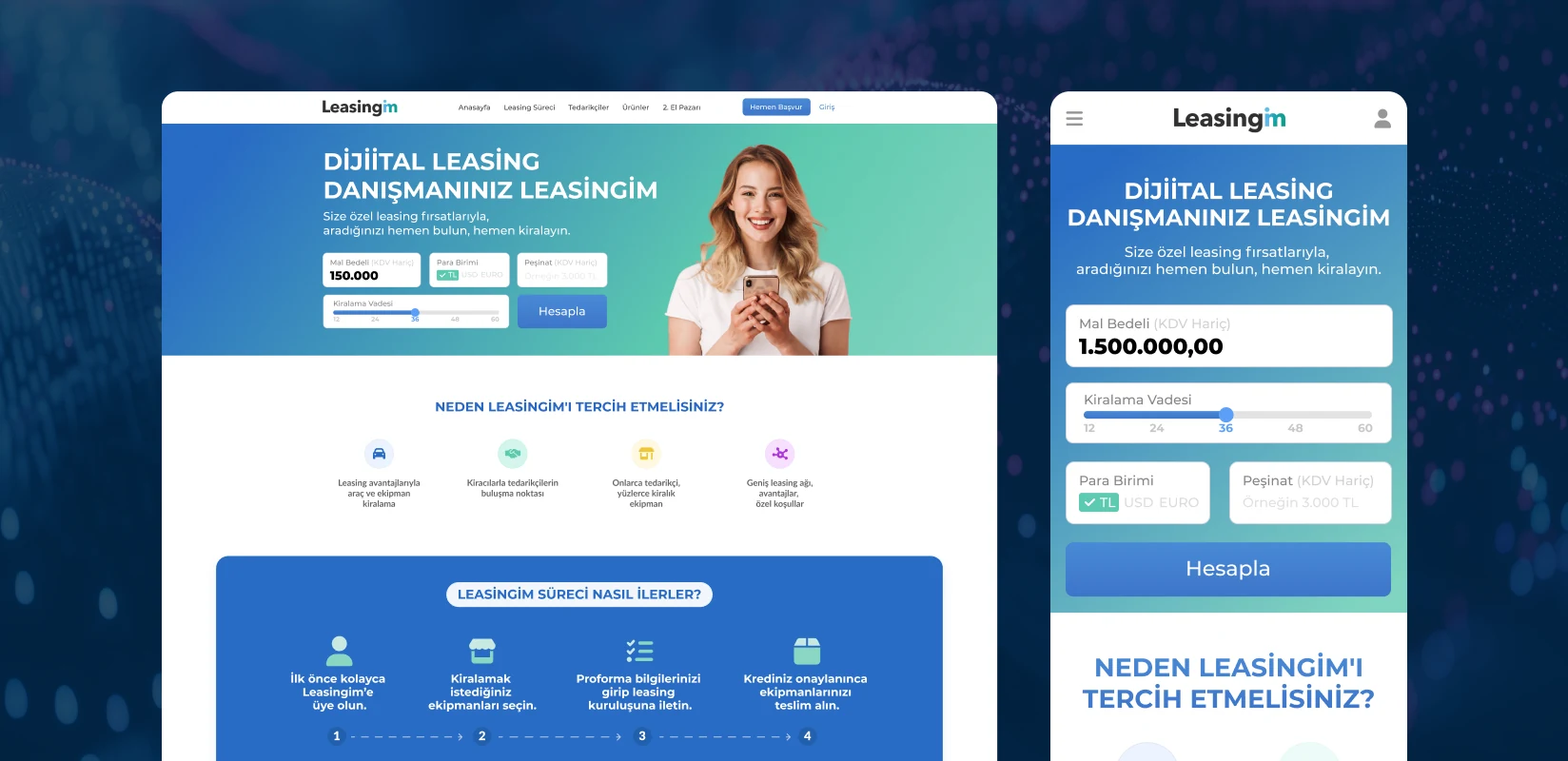
Leasingim
Applicant, bidder and manager in the same product
Leasingim was born as a startup that matches businesses' leasing needs with offers from financial institutions. We started the information architecture from the user's question "What do I want to lease?"; we designed and built the application, the offer comparison and the management panels end to end. The platform later received investment.
View project
Related topics.
- The queue starts on the screen, not at the till.How screen design in checkout and operations software determines transaction time.
- Your website describes you. What about the visitor?Is your website built around your organisation chart? What information architecture is and how it helps visitors find what they are looking for.
- You have an idea. What comes next?Where to start and which steps lead from an idea to a working product.
One product, more than one user.
Assess your product