This article is not a guide to securing investment. Investors’ expectations vary by stage, sector and individual; there is no single right level of readiness. What we can discuss is which parts of the product need to be clear, and which gaps may raise questions in a meeting. The eight areas below serve as a checklist.
1. A clearly defined problem #
You should be able to explain the problem in one sentence: who struggles to do what, and in which situation. If that sentence turns into a list of features, the problem is not yet clear.
There is a simple way to check. Say the sentence to someone unfamiliar with the product and ask them to explain it back in their own words. If the meaning changes, the issue is not the delivery but the definition of the problem. The product’s first screen should communicate the same thing.
2. The target user and use case #
“Anyone can use it” is not a definition of a target user. Who is the first user, when do they open the product, and what do they have when they finish? The answers should come together in a single scenario.
One primary scenario that works from start to finish says more than ten that work only halfway. This is the flow to show in the meeting, and the rest of the product is built around it.
3. The boundary between a demo and a real product #
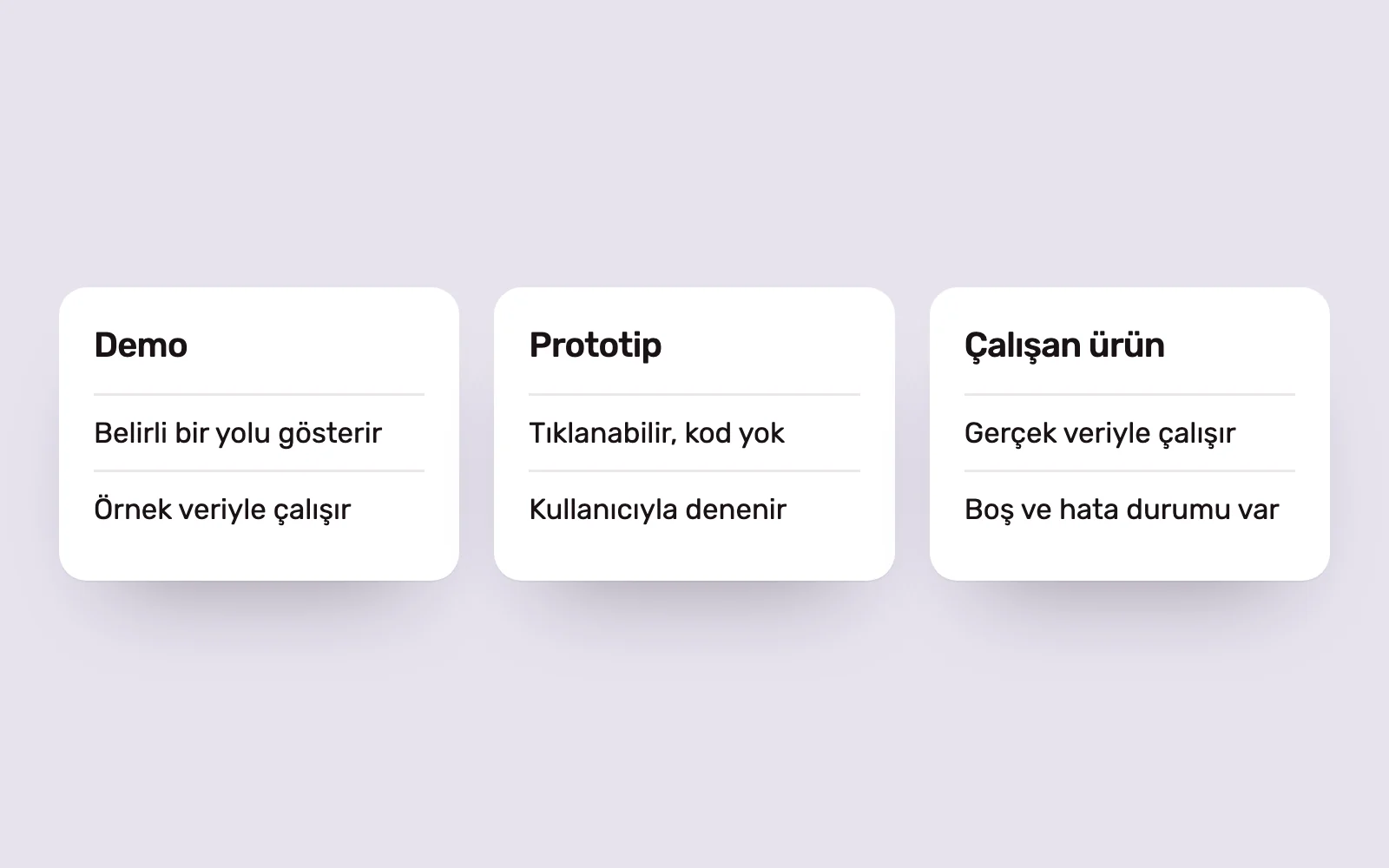
A demo is a staged experience built to show a particular path. A working product also handles unexpected inputs, empty data and errors. Confusing the two is a risky preparation mistake: an unexpected question can expose the difference immediately.
The team should know exactly what is real and what is staged, and say so when asked. “This screen works, this section uses sample data, and this feature is still in design” is safer than presenting everything as functional.
4. The role of a prototype #
Before any code is written, a clickable prototype serves two purposes. First, it lets you show the product idea rather than describe it. Second, and more importantly, you can test it with real users. Being able to say “We showed it to users, they got stuck here, and we changed this” is more valuable than the prototype itself.
A prototype also has clear limits: it does not prove technical feasibility or behaviour with real data. It belongs alongside a working product, not in its place. We discuss which tools suit each stage in our guide to prototyping tools.
5. Measurable assumptions #
At an early stage, definitive data is neither available nor expected. What matters is that assumptions are written down and testable. “Users will like this” is not a useful hypothesis. “On their first visit, users will complete this task without help” is, because it can be tested.
For each assumption, write down how it will be measured and which result would change your mind. If you have data, present it as it is, with its scope and limitations. Observations from a small number of users should not be presented as general conclusions.
6. Technical feasibility #
What is the product’s riskiest technical component, and has it been tested? It might be an integration, a data source, an AI function or a question of scale. A product with a finished interface but an untested critical component is less ready than it looks.
This is why the first release should have fewer screens without deferring infrastructure decisions. We explain how to narrow the scope on this basis in Three questions to narrow your MVP scope. When design and development decisions are made by separate teams at separate times, this risk is often discovered late.
7. A roadmap that makes the unknowns visible #
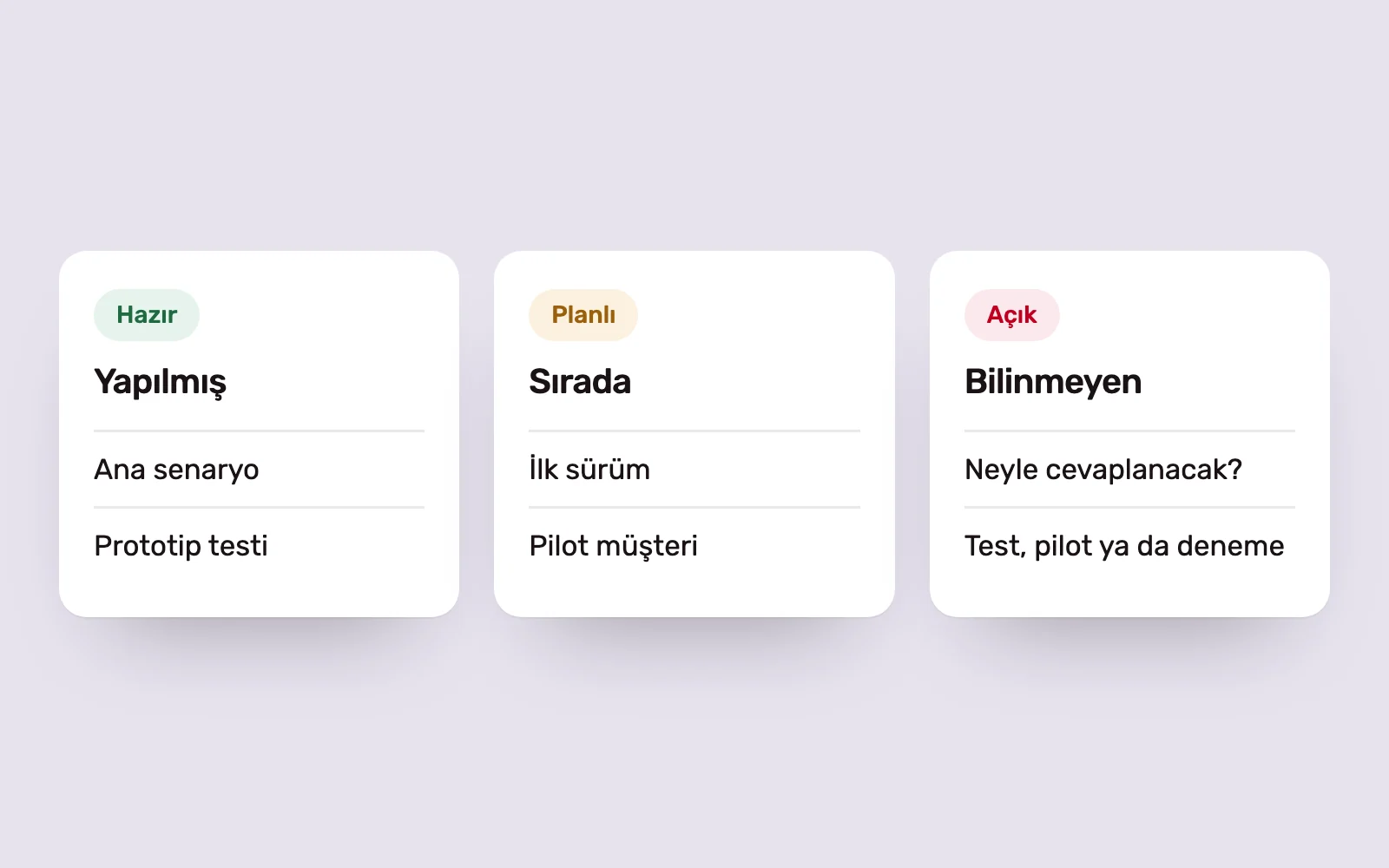
A good roadmap separates three things: what is done, what comes next and what is still unknown. The third column is missing from most presentations, yet it is often where the questions come from.
Writing down the unknowns is not a sign of weakness. Next to each one, state what will answer it: a user test, a pilot customer or a technical trial. This shows that the team sees the risks ahead and is addressing them in order. A roadmap in which everything looks planned and certain loses credibility.
8. Consistency across the brand and presentation #
The presentation, website, demo and product should tell the same story in the same language. If the presentation uses one name, the website makes another promise and the product has a different visual language, the audience has to ask which one is right.
Consistency does not require an expensive branding project. A name, a one-sentence value proposition, a limited set of colours and typefaces, and consistent use across the presentation, website and product are enough. The presentation is a product too: each slide should make one point, and screenshots should show the real product.
Where preparation should begin #
You do not finish all eight areas at once. The order is usually this: clarify the problem and scenario, prepare a prototype or working flow that demonstrates it, then build the narrative and presentation around them. Start in reverse, by writing the presentation first, and the product ends up trying to catch up with its promises.
When working with startups, we aim to bring the narrative, demo experience, website and sales materials into one coherent story. We explain this approach on our For Startups page. Flows and prototypes fall under UI/UX design, first-release development under SaaS and business software, and presentations and promotional materials under Sales and Corporate Materials.